No setup fees
No extra hardware needed
14-day free trial
Free returns
Built & supported in the United Kingdom
Complete Labelling Solution

Smart. Rapid. Compliant.

Move faster.
Stay compliant.
Trust every label.

A standalone all-in-one labelling terminal. LabelFood Printer SV2 has its own touchscreen, scanner, and printer built in. No tablet, no phone, no extra accessories needed. Designed for busy commercial kitchens. Cloud dashboard lets you manage products and monitor from anywhere.
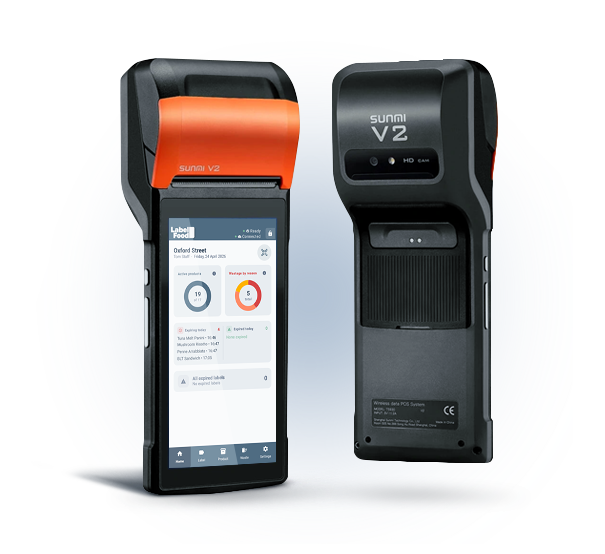
LabelFood Printer SV2 — Home screen of the all-in-one food labelling device

How it works

Up and running in minutes

No technical knowledge required. The device arrives ready to use; you set it up once and your kitchen labels itself.

1

Pair your device

Unbox the device, connect to your kitchen WiFi, and pair it with your LabelFood account in seconds.

One device pairs to one branch. Scales from 1 device to 100+ across multiple locations, all managed from a single dashboard.

2

Add your products

Use the LabelFood web panel to add your product catalogue: ingredients, allergens, and storage instructions.

Allergens are auto-detected from your ingredient list. Natasha's Law compliant from day one.

3

Monitor from anywhere

Track label prints, waste records, and staff activity from the cloud dashboard, on any device, from anywhere.

Real-time expiry alerts per product (name + HH:mm). Scales to 100+ locations. Full activity log exported for EHO inspections.

4

Print in 3 clicks

Pick quantity, set expiry, and print. Allergens are bolded automatically. Label is ready in seconds.

1

Pick quantity

Unbox, connect to WiFi, done.

2

Set expiry date

Upload ingredients; allergens auto-detected.

3

Print label

Scan, tap, print. Compliant in seconds.

5

Scan a barcode

Kitchen staff open the app, scan a product barcode. The system instantly retrieves all product data.

Batch scan mode: scan multiple barcodes in quick succession, then record waste for all at once.

6

Record waste

Finished a product? Scan and record the waste with a reason and optional photo. Batch scan available for end-of-service.

Waste data syncs to the cloud; see exactly where food is being wasted and why. Full audit trail: every action timestamped.

Allergen & Nutrition Labels

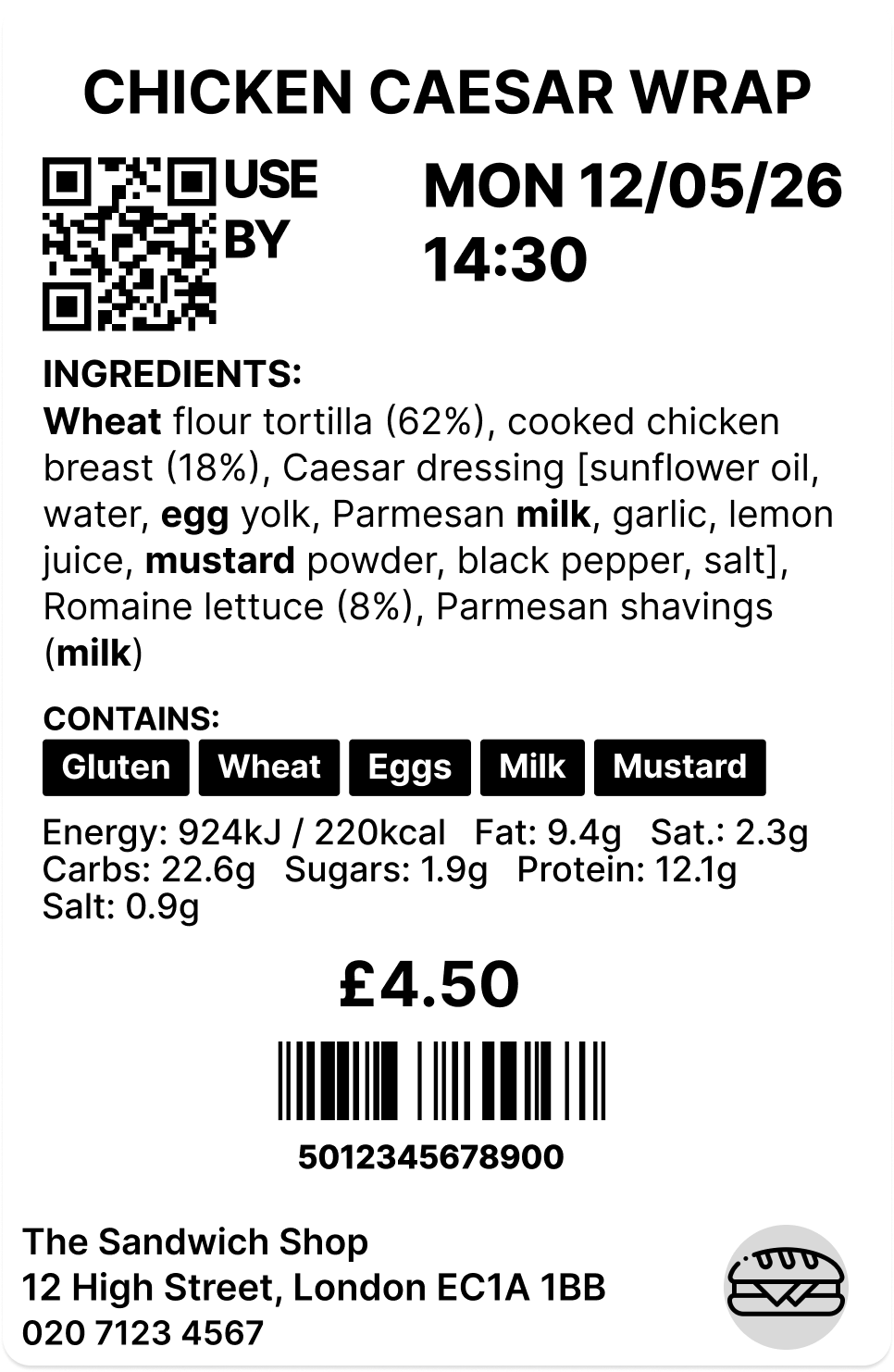
Print fully compliant allergen labels for all 14 UK allergens, highlighted in bold on every label. Natasha's Law (PPDS) compliant. Nutrition facts available on the Annual plan.

Allergens are set per product in the dashboard. The system won't let you print without them.

Real-time Label Tracking

Every label is tracked individually in the cloud with its exact expiry time. Unique QR code and label ID on every print; scan to retrieve instantly.

Dashboard shows live expiry status. Expiry alerts appear on the device home screen before labels actually expire so staff can act early.

Bulk & Batch Printing

Create bulk label jobs from the cloud dashboard: select products, set quantities, and the device prints all labels in sequence. Perfect for morning prep.

Batch scanning lets staff scan multiple barcodes in quick succession and log waste for all of them at once with a single reason and note.

Product Management

Manage your full product catalogue from the cloud dashboard. Set ingredients, allergens, storage conditions, and expiry rules per product.

Staff can request new products directly from the device with a photo for manager review before they go live.

Waste Tracking & Reports

Record waste from the device or dashboard: reason, notes, and photo. Dashboard analytics show waste breakdown by reason so you can spot patterns and reduce losses.

Label reports cover the last 90 days: total printed, live, expired, and removed labels. Essential for EHO inspections and compliance audits.

Prep & Sales Labels

Some products go straight to the shelf. Others are made fresh each service. LabelFood handles both.

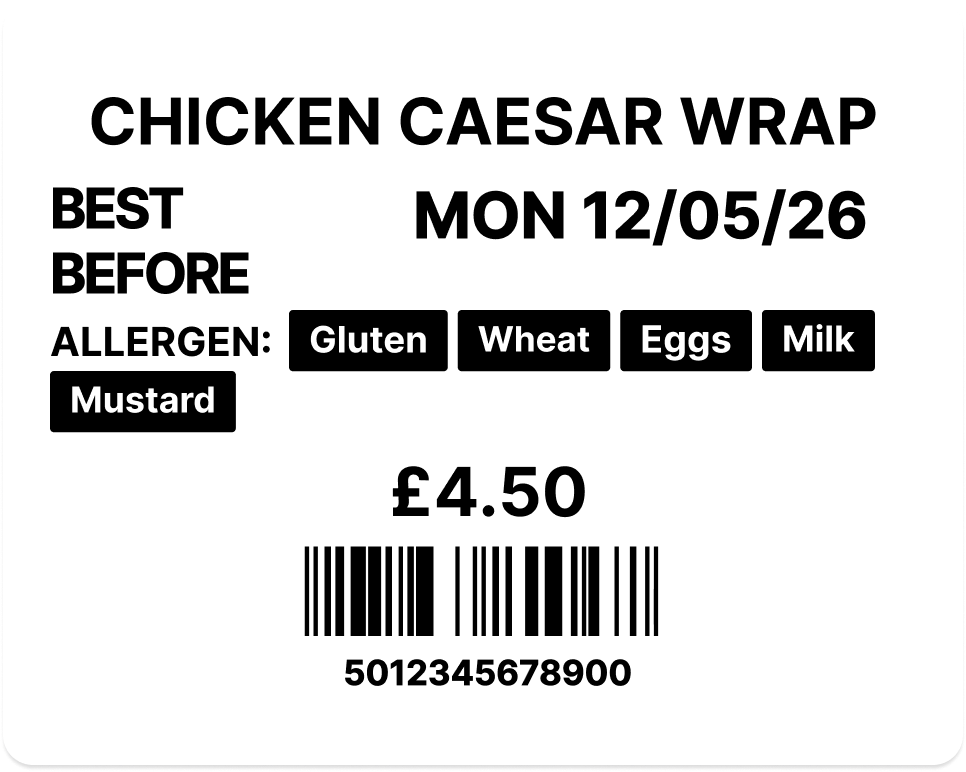
Prep labels carry full allergen information, Natasha's Law compliant by default. Sales labels follow a separate flow for retail or display items. Set the type once per product; the device applies the right format automatically.

Official Label Rolls

Custom-made for the LabelFood Printer

Most kitchens try third-party rolls first. They jam, they tear on removal, and they don't hold in cold storage. Handwritten labels aren't much better: they smudge, take time, and are hard to read mid-service.

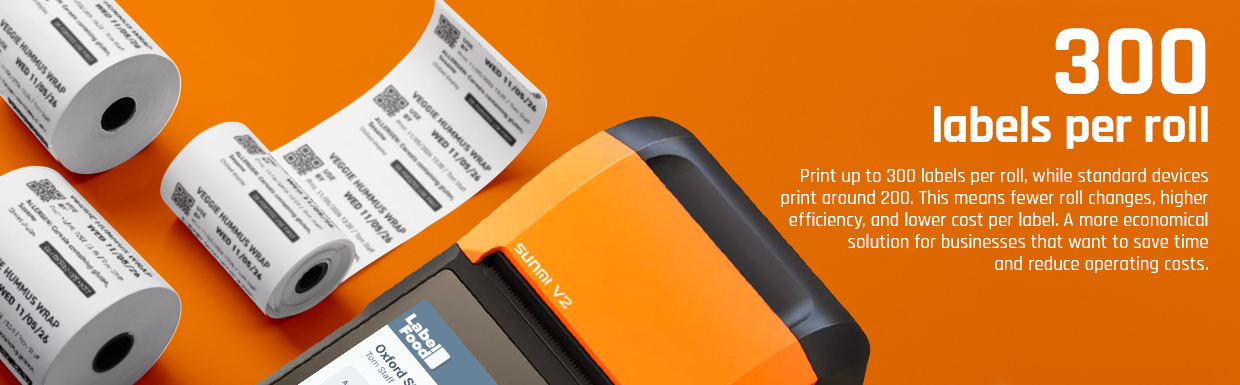
Our rolls are made specifically for the LabelFood Printer SV2 — tested in real kitchen conditions, with a removable adhesive that stays put in the freezer and peels cleanly every time.

Stays readable all day

Whether it's in a cold display, a fridge, or on a hot prep surface, the print stays sharp and allergen information stays legible. No fading, no smearing mid-service.

Peels off in one piece

No tearing, no sticky residue on the container. Labels come off cleanly between service so your team isn't scratching labels off boxes or dealing with torn halves.

Loads and prints without fuss

Made to fit the LabelFood printer exactly. No jams, no mis-feeds, no wasted labels from the first print to the last. Load it and forget it.

How our rolls compare

LabelFood Third-party
Labels per roll 300 ~150–180
Cost per label
0.87p Best
~1.1p+
Adhesive Removable Permanent / unknown
Peels without tearing
Calibrated for SV2

Delivered to your kitchen

Order from your dashboard or device

VAT invoice included

Emailed automatically after each order

£2.60 per roll · 300 labels

0.87p per label

Now Available

Your kitchen in your pocket

The LabelFood iOS app gives every team member their own terminal. Managers monitor from anywhere; staff prepare tasks from their phone and print from the device.

  • Manage products, devices, and reports from your phone
  • Staff prepare tasks from their phone, then print labels from the terminal
  • Push notifications for expiry, sync, and waste events
  • Real-time sync across device, app, and cloud dashboard

FAQ

Frequently Asked Questions

Everything you need to know about LabelFood

Product & How It Works

LabelFood is a standalone all-in-one labelling terminal. The LabelFood Printer SV2 has its own touchscreen, barcode scanner, and thermal printer built in. No tablet or phone needed. Kitchen staff scan barcodes and print labels directly from the device. Works fully offline; no internet required to print or record waste. The cloud dashboard lets you manage products, monitor activity, and generate reports from anywhere.
No. The LabelFood device works fully offline. It doesn't need an internet connection, WiFi, or 4G to print labels, scan barcodes, or record waste. When connectivity is available, data syncs to the cloud so you can monitor everything from your phone, tablet, or desktop.
Absolutely. LabelFood is designed for all types of food businesses: restaurants, cafés, bakeries, food manufacturers, catering companies, and meal prep services. QR code labels let customers scan and see full allergen info instantly.
LabelFood is built to scale from 1 location to 100+. Each branch has its own products, devices, staff, and waste reasons, all managed from a single cloud dashboard. You control everything: add branches, assign devices, set staff permissions, and monitor activity across your entire operation from one place. Products can be shared across all branches or customised per location.
Contact our support team and we'll get you back up and running as quickly as possible. We want to keep your kitchen running with minimal downtime.

Compliance & Allergens

Yes. LabelFood is built to support the key UK food labelling laws: Natasha's Law (PPDS allergen labelling), the Food Information Regulations 2014 (England), and the retained EU Regulation 1169/2011 (FIC). Labels cover all 14 allergens in bold, full ingredient lists, use-by and best-before dates, and nutrition information. For the full regulatory overview, see the Food Standards Agency guidance on packaging and labelling.
Natasha's Law (Food Information Amendment 2019) requires all UK food businesses to clearly display all 14 allergens on every food item that is pre-packed for direct sale (PPDS). This applies to any food you prepare on-site and package before a customer orders it: sandwiches, salads, baked goods, meal deals. If you're unsure whether PPDS applies to you, the safest rule is: if you wrap it before selling it, it needs a label. See the FSA's introduction to PPDS allergen labelling for full guidance.
The 14 allergens are: celery, cereals containing gluten, crustaceans, eggs, fish, lupin, milk, molluscs, mustard, nuts, peanuts, sesame, soybeans, and sulphur dioxide. Under Natasha's Law, all allergens present in a food must be clearly visible on the label and highlighted in bold or underlined so customers can spot them instantly. Even trace amounts count.
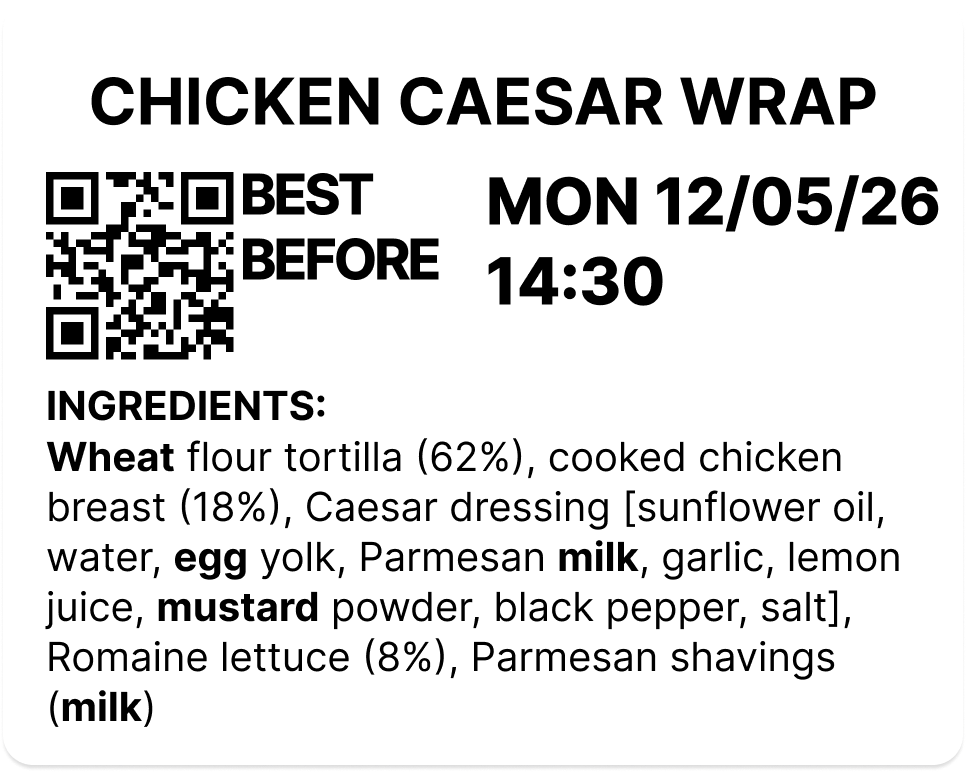
When you add a product to your LabelFood catalogue, you select its allergens from the full 14-list. When staff print a label, all allergens are printed in bold automatically. Each label shows: product name, full allergen list (highlighted), use-by date, batch code, and QR code. The system requires allergens to be set before a label can be printed.
All 14 major allergens required by UK law: celery, cereals containing gluten, crustaceans, eggs, fish, lupin, milk, molluscs, mustard, nuts, peanuts, sesame, soybeans, and sulphur dioxide. Allergens are highlighted on every printed label.
Yes. Under the Food Information Regulations 2014 and EU Regulation 1169/2011, prepacked food must declare energy (kJ and kcal), fat, saturated fat, carbohydrates, sugars, protein, and salt. LabelFood supports all 8 fields via custom fields on each product; they print directly on the label alongside allergens and dates. The fields are pre-configured as defaults so you can fill them in when adding each product. For the full nutrition labelling requirements, see the FSA nutrition labelling guidance.

Labels & Printing

The device supports four label sizes: 57×40 mm, 50×60 mm, 50×40 mm, and 50×30 mm. Choose the right size for your kitchen, from small prep labels to larger ingredient labels. No extra cost for any size.
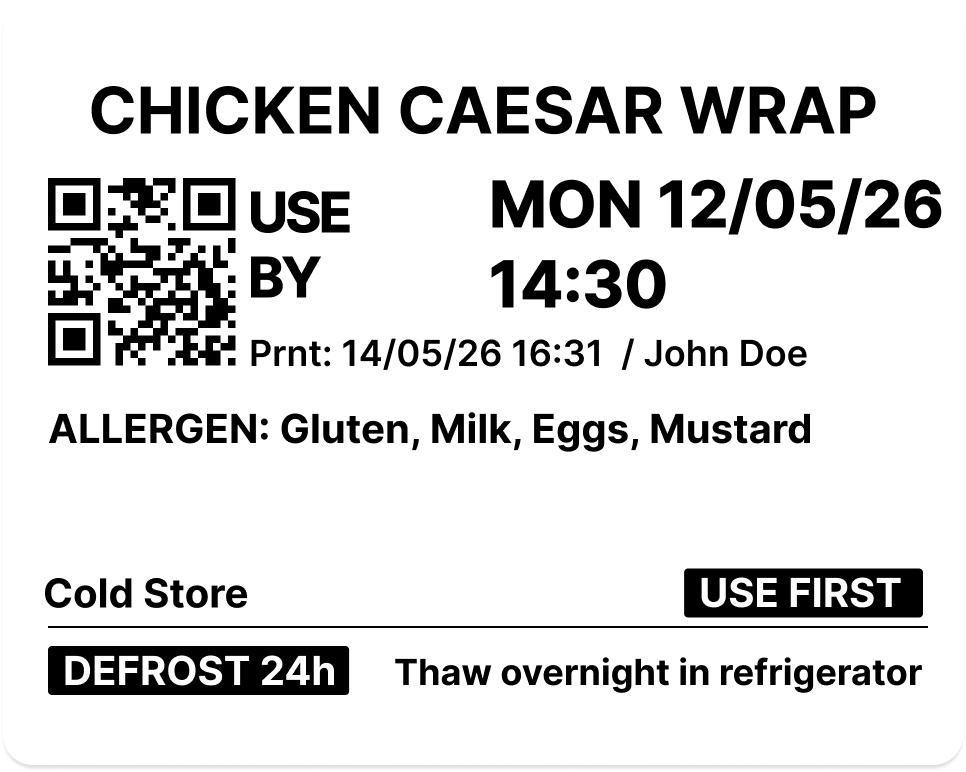
Yes. When printing, staff can toggle "Use First" on any label. This marks the item as the oldest stock, the one to be used before newer batches. The label prints with a clear "Use First" indicator so kitchen staff know which item to reach for without guessing. No separate sticker or manual marking needed.
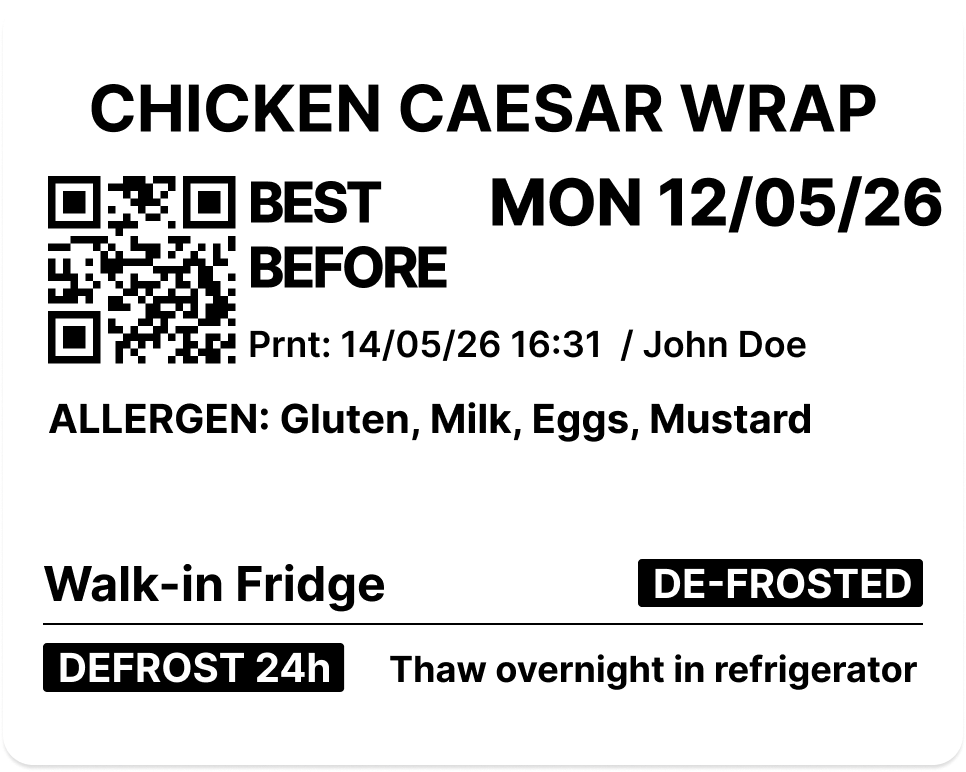
Yes. When printing a label for a defrosted product, staff toggle "Defrosted" on the print screen. The label prints with the defrosted date alongside the use-by date, so staff always know when an item was taken out of the freezer and when it must be used. No separate label required.
Yes. Each product can be configured to display either a use-by or best-before date, set once in the dashboard per product. Use-by is the default for most kitchen-prepared food (PPDS). Best-before is available for products where quality rather than safety governs the date. The device applies the correct date type automatically when staff print.
Create a bulk label print job from the cloud dashboard: select products and set quantities. The job appears on the device as a pending bulk job. Staff tap Print and the device prints all labels in sequence. Perfect for morning prep when you need dozens of labels at once.
Yes. Products are set as Prep or Sales in the dashboard. Prep products are your kitchen-made items; labels carry the full 14-allergen list in bold, Natasha's Law compliant by default. Sales products are retail or display items that follow a separate label format. The device automatically applies the correct label type when staff print. One device handles both with no extra hardware or systems needed.
Order directly from the cloud dashboard. Go to Consumables, set the quantity for each item, and pay securely. Orders are delivered to your address with tracking available.
Yes. The Reports page in the cloud dashboard shows all label activity for the last 90 days. See total labels printed, live labels, expired labels, and removed labels. Search by product name and paginate through results. Essential for EHO inspections and compliance audits.

Dashboard & Management

Every action on the device is logged locally and synced to the cloud: print events, barcode scans, waste records, sync status, and device events. Every label printed, every waste event recorded, every staff action timestamped. Available from the dashboard or on the device itself. You can export the full audit trail for EHO inspections.
When staff submit new product requests or request clearance of expired labels from the device, they appear on the Requests page in the dashboard. Managers review and approve product requests (with photos) and clearance requests. This ensures manager oversight before new products are added or expired labels are bulk-removed.
Yes. LabelFood is built to scale from 1 location to 100+. Each branch has its own products, devices, staff, and waste reasons, all managed from a single cloud dashboard. Add branches, assign devices, set staff permissions, and monitor activity across your entire operation from one place. Products can be shared across all branches or customised per location.
Yes. Label and waste reports can be exported to PDF directly from the cloud dashboard. The label report covers the last 90 days: total printed, live, expired, and removed labels. Waste reports show breakdown by reason. Both are formatted for EHO inspections and compliance audits.

Features & Account

Yes. Batch scan mode lets you scan multiple barcodes in quick succession, building a list on the device. When you're done scanning, tap Continue and record waste for all items at once with a single reason and note. Perfect for end-of-service waste logging. One reason applies to all scanned items, saving minutes of repetitive work.
We offer flexible monthly and annual plans. Both include the device, USB-C cable, demo label rolls, unlimited labels, and unlimited products. 14-day free trial with free returns. Visit our pricing page for the latest plan details.
Yes, cancel anytime with no penalties. You keep access until the end of your billing period. Return the device within 14 days of your trial ending and pay nothing.

Still have questions? Get in touch — we reply within 24 hours.